Starting an online clothing boutique sounds exciting — and it is! But once you move past the idea stage, the practical questions start piling up.
What platform should you use? How do you set up payments? Do you need a premium theme? And how do you make your store look cohesive instead of pieced together?
If you’ve decided to build your boutique with WordPress, you’re already leaning toward flexibility and long-term control. The next step is understanding how all the pieces fit together.
This guide walks through the process from idea to launch, so you can build your online clothing boutique calmly and confidently.
Why start your own online boutique?
Selling through marketplaces can be a great starting point. They bring built-in traffic and handle a lot of the technical side for you.
But when you build your own online clothing boutique, you gain something different: control.
- You control how your collections are presented.
- You control the customer journey from homepage to checkout.
- You control your brand’s visual identity instead of fitting into someone else’s template.
There’s also the long-term factor. Your own website becomes an asset. You’re not relying on changing algorithms, shifting fees, or competing listings sitting next to yours.
For clothing brands especially, presentation matters. The way products are grouped, styled, and displayed influences how people perceive quality and trust.
Building your own boutique isn’t just about selling products. It’s about building a brand that feels cohesive and intentional.
If you’re currently selling on Etsy, you might also find this guide helpful.
What you need before you start
Before you install anything, make sure you have a few basics in place. You don’t need everything perfect — but you do need clarity.
- A clear product direction.
Are you selling everyday basics, statement pieces, seasonal collections?
You don’t need a huge catalog, but you should know what kind of clothing you’re offering and who it’s for.
- A defined brand aesthetic
Clothing is visual. Your colours, typography, photography style, and overall mood should feel consistent.
You don’t need a full brand book — just a clear sense of the vibe you’re aiming for.
- Product photos and descriptions.
They don’t need to be studio-perfect, but they do need to be clean and consistent.
Lighting, background, and styling should feel intentional.
Just as important are your product descriptions. Clear sizing details, fabric information, care instructions, and a short description of how the piece fits or feels can reduce returns and build trust.
- Basic budget expectations.
Running your own store involves a few upfront costs, like hosting and domain, and a few ongoing costs like subscriptions or payment processing fees.
Knowing your budget helps you prioritize, and make decisions strategically.
Choosing your platform
There are plenty of ways to build an online clothing boutique. Shopify, Squarespace, and WordPress are some of the most common options.
If you want a hosted, all-in-one setup with minimal technical decisions, platforms like Shopify can be appealing. They handle hosting, updates, and much of the infrastructure for you. The trade-off is less flexibility, ongoing monthly fees, and being tied to their ecosystem and pricing structure.
WordPress, combined with WooCommerce, offers more flexibility and ownership. You choose your hosting, control your design fully, and aren’t locked into a single ecosystem. It can take a little more setup at the beginning, but it gives you more room to grow.
For clothing brands that care about presentation and long-term brand building, that flexibility can be a real advantage.
In this guide, we’ll focus on building your boutique with WordPress and WooCommerce.
Setting up your store
Once you’ve chosen WordPress + WooCommerce as your engine, it’s time to pick your domain and hosting providers.
Choosing Your Hosting
Your hosting provider is where your website lives. It affects speed, reliability, and security, which will be important for your online store.
You’ll usually see two types of plans: general “web hosting” and “WordPress hosting.” If you’re building your boutique with WordPress, a WordPress-optimized plan is often the simpler choice. It typically includes easier setup, built-in caching, and performance settings designed specifically for WordPress.
Many providers also offer “e-commerce” plans. These are usually standard WordPress plans with WooCommerce pre-installed, slightly higher resources, and typically a higher price tag. If you’re just starting with a small product range and low traffic, a regular WordPress plan is usually enough. You can upgrade as your store grows.
What matters more than the plan name is:
- WordPress optimization
- SSL certificate included
- Reliable uptime
- Good support
- A clear upgrade path
Choosing hosting can feel high-stakes, but it isn’t permanent. Hosts know people switch providers, so many offer straightforward WordPress migration tools or will move your site for you. As long as you choose a reputable company, you’re not locking yourself in forever.
Choosing Your Domain Name
Books have been written about choosing a domain name, but let me give you the short version 😉
Your domain name is your store’s address online. Ideally, it matches your brand name exactly and is easy to spell and remember.
If the exact name isn’t available, keep it simple. Avoid hyphens, numbers, or complicated variations. A clean .com is often preferred, but other extensions can work if they fit your brand.
Before registering, check that:
• The name isn’t already trademarked
• The social media handles are available
• It’s easy to say out loud and type correctly
Your domain is a long-term branding decision. It doesn’t need to be clever. It needs to be clear.
Many hosting providers also offer domain registration. Buying your domain and hosting from the same company can make setup simpler, especially in the beginning, since your domain will be automatically connected to your site, and everything is managed in one place.
That said, it’s not required. Domains and hosting can be purchased separately and connected later. Choose the option that feels easiest for you to manage.
Choosing the right theme
This is the fun part, but also where many boutique owners get stuck.
You install WordPress, browse dozens of themes, and suddenly everything looks possible — and overwhelming.
When choosing a theme for an online clothing boutique, focus on structure first, aesthetics second.
Ask yourself:
- Does this theme handle product grids well?
- Are category and collection pages thoughtfully designed?
- Do product pages feel clean and easy to browse?
- Is the checkout experience simple and distraction-free?
- Is it visually aligned with your brand?
Clothing stores rely heavily on visual consistency. Spacing, typography, and how products are grouped all affect how professional your brand feels.
It’s also worth deciding early whether you want to start with a free theme or invest in a premium one. Free themes can work well for small stores, especially in the beginning. Premium themes often provide more refined layouts and reduce the amount of design tweaking required.
The right theme should make your store feel cohesive from day one. It shouldn’t require dozens of plugins just to look polished.
If you’re unsure what to look for, I wrote these articles for you:
Designing your homepage & collections
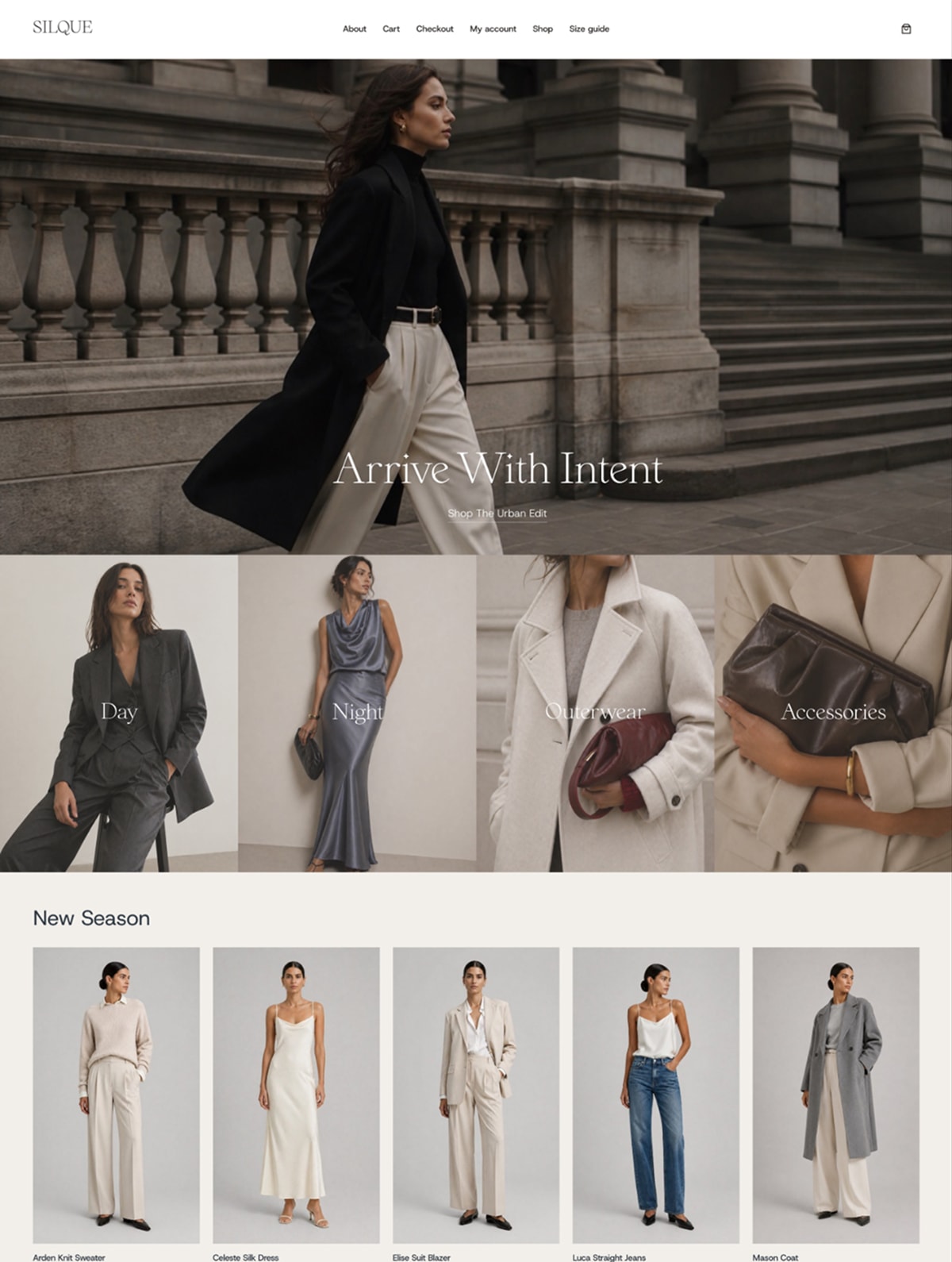
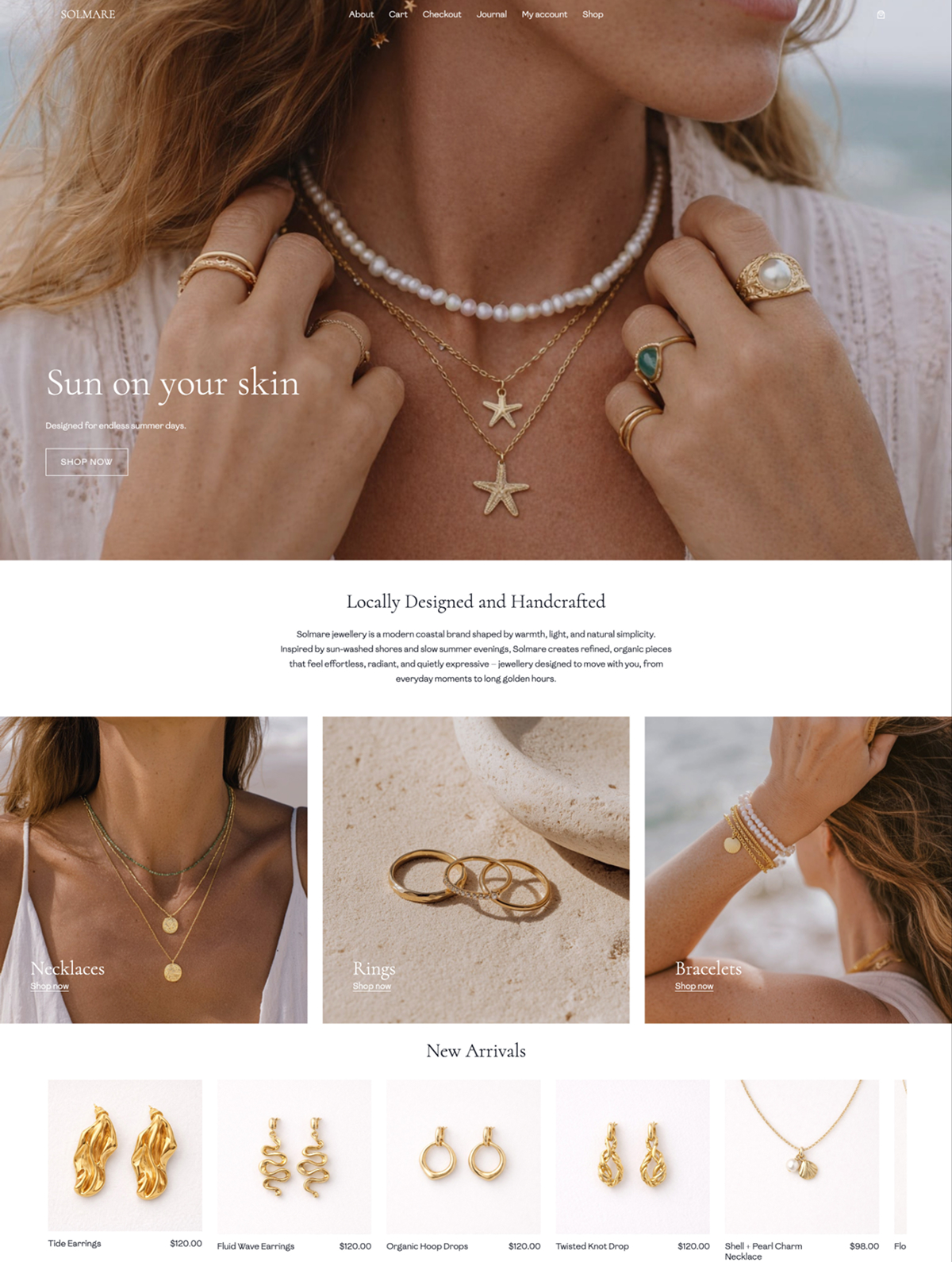
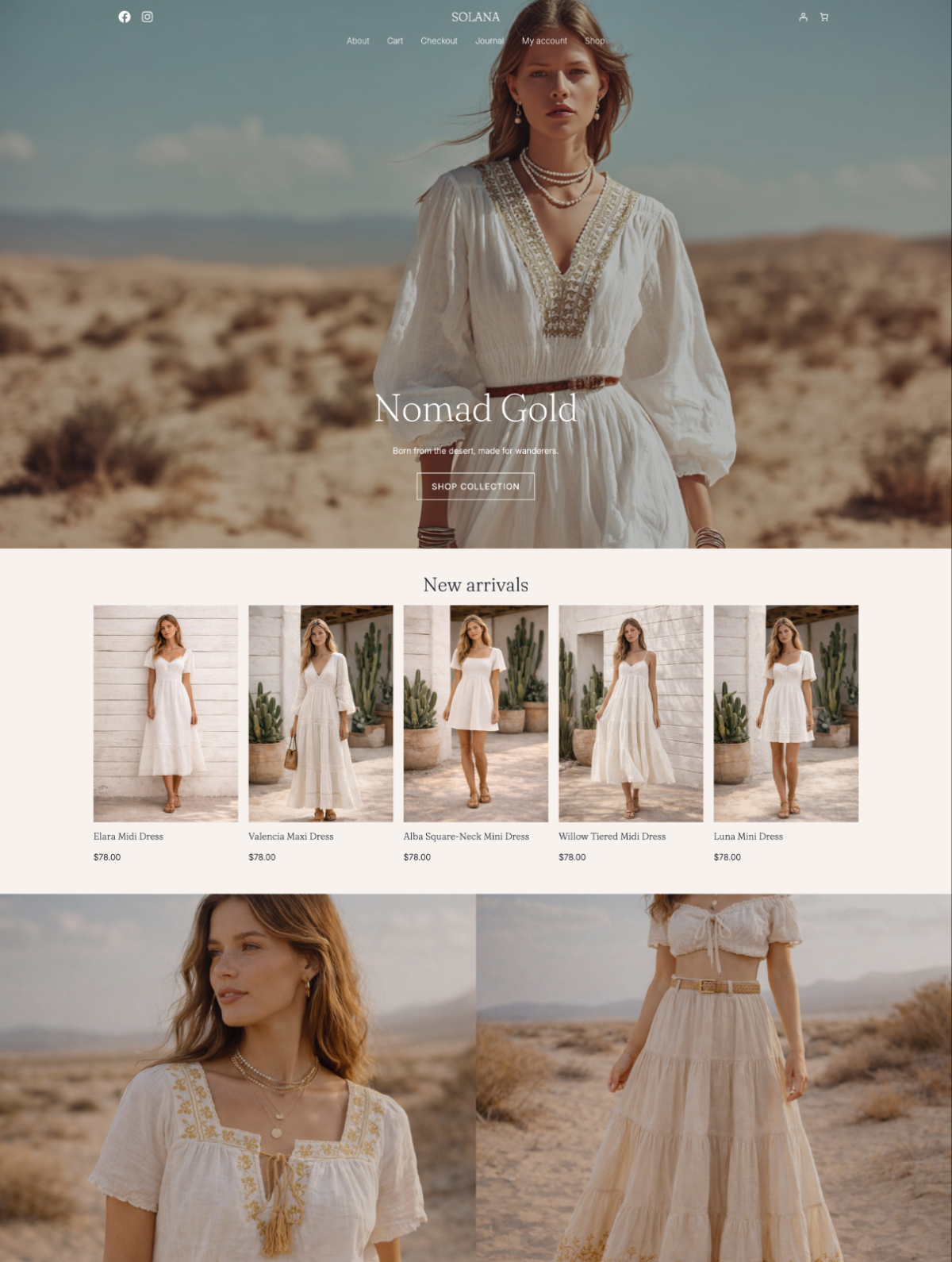
Think of your homepage like the front window of a physical boutique. You wouldn’t put every single item you own in the window. You’d curate it. You’d choose a few key pieces, arrange them intentionally, and create a mood that draws people in.
Your online boutique works the same way.
Your homepage should guide visitors, not overwhelm them. Instead of trying to show everything, focus on creating a clear path:
- A strong opening visual that sets the tone.
- A few featured collections or categories.
- A small edit of highlighted pieces.
- A short brand statement that reinforces your style.

Curating your collections
Inside the store, organization matters just as much as presentation. Clothing stores are naturally browse-heavy. People scroll, compare, and look at details. The easier you make that process, the more confident they’ll feel.
Organize your products in ways that feel natural to browse:
- New arrivals
- Seasonal edits
- Dresses, Tops, Outerwear
- Bestsellers
Pay attention to image ratios, spacing, and typography across collection pages. When everything feels steady and cohesive, your store immediately feels more professional — even if your product range is still small.
Payments, shipping & policies
Once products and design are in place, you’ll need to think about how orders are handled behind the scenes.
This is the part where your boutique shifts from “nice idea” to actual business.
You can have beautiful photos and a carefully designed branding, but if payment and shipping feel confusing or unreliable, people won’t complete their purchase.
Payments
Most online clothing stores start with Stripe and/or PayPal. They’re widely trusted, familiar, easy to set up through WooCommerce, and allow customers to pay by card without friction.
You don’t need every possible payment method. What matters most is that customers feel safe entering their credit card details, and that checkout feels straightforward.
Shipping
Shipping can feel complicated, but it doesn’t have to be perfect on day one.
Decide early:
- Are you shipping locally, internationally, or both?
- Will you offer flat rates, calculated shipping, or free shipping over a certain amount?
Clothing brands often benefit from clear, predictable pricing. Surprises at checkout are one of the biggest reasons customers abandon their carts.
Policies
Policies build trust, especially for clothing where sizing and returns matter. At minimum, make sure you clearly state:
- Shipping timelines.
- Return or exchange policy.
- Contact information.
This section isn’t glamorous, but it directly affects confidence. When customers understand how payment, shipping, and returns work, they’re far more likely to complete a purchase.
Launch & first sales
Once everything functions smoothly, publish your site and consider it your starting point — not your finished product.
Your boutique won’t feel perfect. There will always be something you want to tweak — a product description to refine, a photo to replace, a layout to improve. Instead of waiting for perfect, aim for ready.
Once your store is live, focus on getting your first real feedback. Share it with friends. Announce it on social media. If you already sell through a marketplace, let your existing customers know you now have your own website.
The goal of this stage is having a proof that your store works, that customers can navigate it, and that your systems hold up in real life.
Final thoughts
Starting an online clothing boutique with WordPress isn’t about nailing every detail from day one. It’s about building something functional, intentional, and aligned with your brand.
The decisions you make along the way (hosting, domains, themes) don’t have to be perfect, because most of them aren’t permanent. You can refine, upgrade, and adjust as you go.
It’s easy to get caught up in the tools and settings. But what really moves the needle is having a clear idea of your products, your aesthetic, and how you want your store to feel. Done is better than perfect.