Disclosure: This post contains affiliate links. If you purchase through one of these links, I may earn a small commission at no extra cost to you. I only recommend tools I’d genuinely point a friend toward.
If you’ve been putting off starting your online boutique because you’re not sure what it’s going to cost, here’s the short answer: less than you think. Most of what you actually need on day one is either free or a one-time annual cost, and the list of things you genuinely need before you launch is shorter than most people realize.
The confusion usually comes from mixing up what’s essential now and what can wait until you’re actually making money. So let me walk you through both — what you need, what it actually costs, and where I’d spend a little more if I were starting from scratch today.
What You Actually Need on Day One
Before we get into numbers, it helps to be clear on what “launching” actually requires, because the list is shorter than most people think.
You need a domain name, web hosting, WordPress and WooCommerce (both free to install), a theme, and a way to take payments — and that’s genuinely the whole list. You don’t need a professionally designed logo, a full brand photoshoot, or a paid email marketing platform before you’ve sold anything. Start with the core and layer everything else in once you have revenue to work with.
The Real Costs, Line by Line
Domain Name: free for the first year, then $15–$20 per year
Your domain is your web address — yourstore.com. Most hosting providers include free domain registration for your first year, so there’s nothing to pay upfront. What you do want to check before you sign up is the renewal rate, because that’s what you’ll be paying from year two onward and it varies between registrars.
Hosting: $35–$60 for your first year
Hosting is where your website lives, and for a brand new WooCommerce store, shared hosting is all you need. You don’t need anything more powerful until you’re pulling in consistent traffic and your store is actually generating revenue, and by that point upgrading is justified.
One thing to know before you go shopping: most hosts advertise a low monthly rate that only applies if you pay upfront for 2–3 years. And let’s be clear, that’s not a bad deal if you’re serious about building a real business. But it does means paying more upfront. This is where you have to take a look at your budget and decide if there’s room to lock in a better rate for longer or not.
Putting that aside, for a one-year plan, you’re realistically looking at $35–$60 upfront depending on the host.
When you’re comparing plans, look for WordPress pre-installed or a one-click install option, a free SSL certificate, at least 10GB of storage for your product images, an uptime guarantee, and automatic backups. Most reputable hosts include all of these at the basic level. Also check the renewal rate, because that’s what you’ll pay once your intro period ends and it varies a lot between providers (and the jump can be really high!).
My personal recommendation is Bluehost, and it’s what I run The Theme Nook on. I can speak to it from experience — the WordPress setup is straightforward, the support has been reliable, and the renewal rate is one of the more reasonable ones out there at around $10/mo. You can browse their WordPress hosting plans here (affiliate link — see disclosure above). The Starter plan will be more then enough to launch your store.
If budget is your absolute priority, DreamHost comes in slightly cheaper at around $35 for a first year with a similar renewal rate, although I haven’t used it personally.
WordPress and WooCommerce: free
WordPress is free to install, and so is WooCommerce (the plugin that turns your WordPress site into a proper shop). Between them you get product pages, a cart, checkout, and payment processing, all without paying for anything.
The one thing worth knowing for a clothing store specifically: product variations (sizes, colors, stock per variation) are all handled by WooCommerce, so you’re not paying extra just to sell something in three sizes. Basic size chart plugins are free too. Where you might eventually spend money is variation swatches — the plugins that show sizes and colors as visual buttons rather than plain text dropdowns are mostly paid, but that’s not something you need to solve before you launch.
A WordPress Theme: $0–$100+
Bit vague, I know, but let me explain. Your theme is what your store looks like, and you have options at both ends of the price range. There are free store themes in the WordPress .org theme repo, but you might need to dig deep to find a good one.
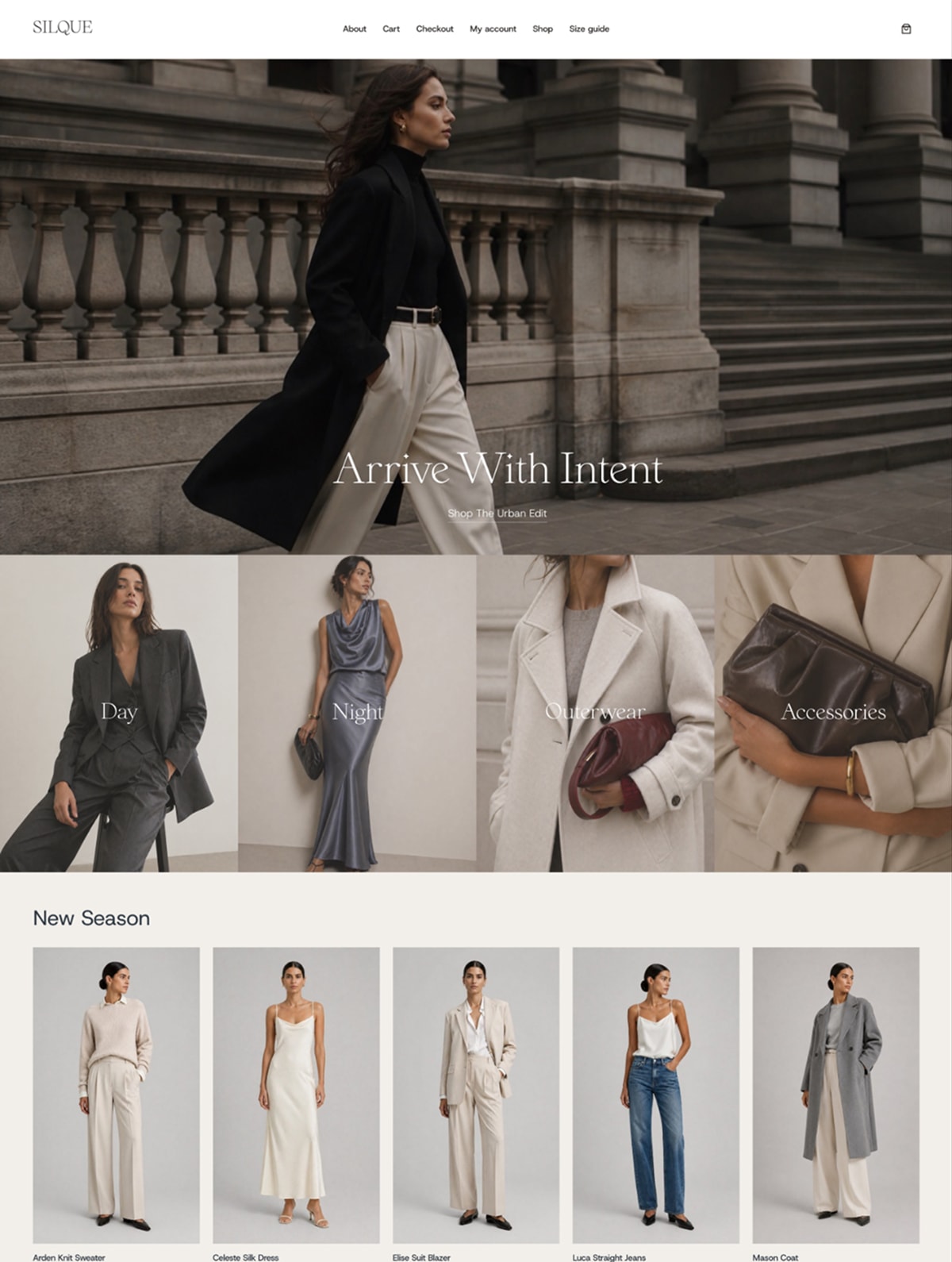
Fashion Nook is my own free theme and I built it with specifically as a starter theme for a clothing boutique. It’s a modern block theme, clean and minimal, and you can have it up and running without touching a line of code.
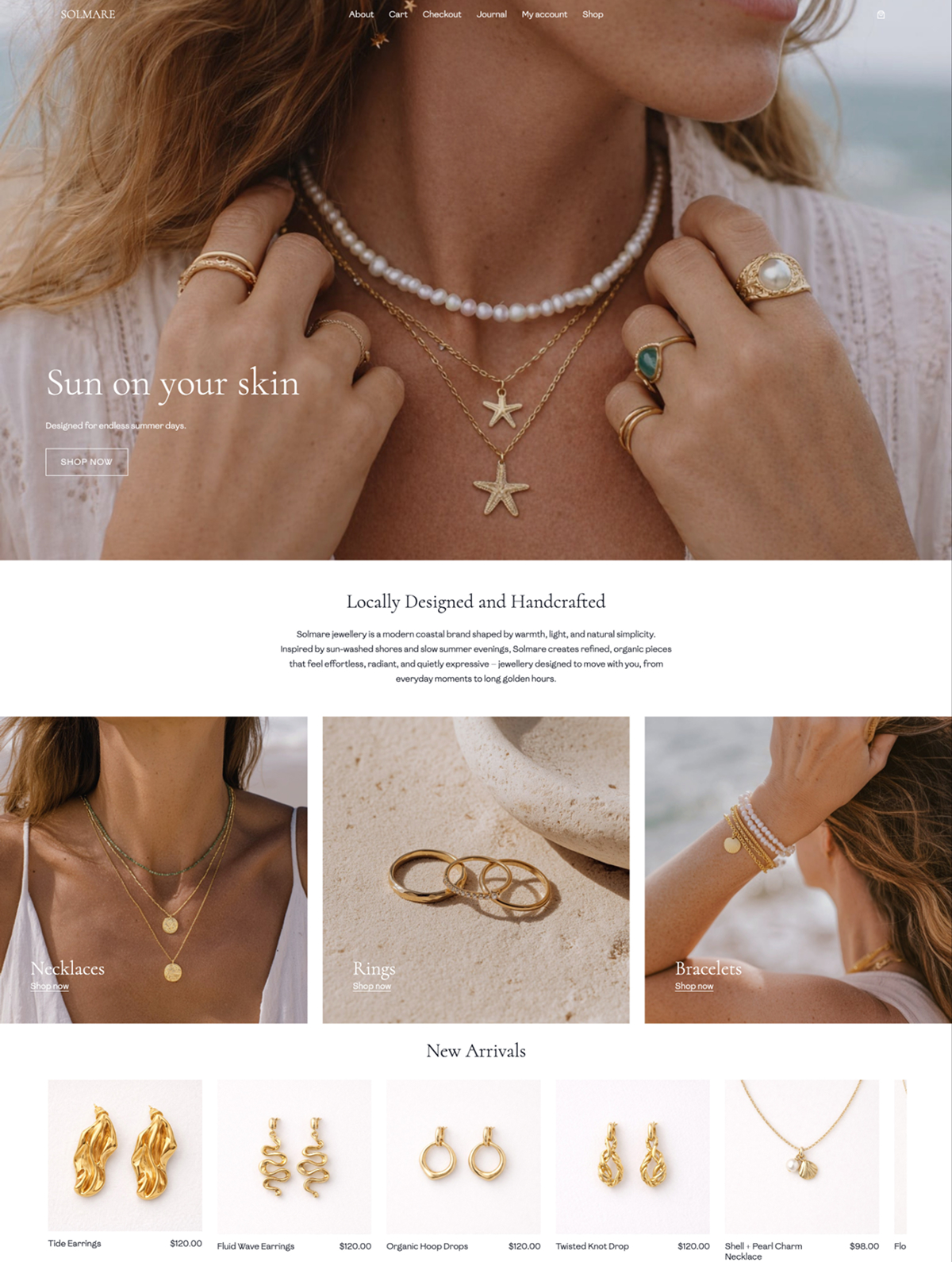
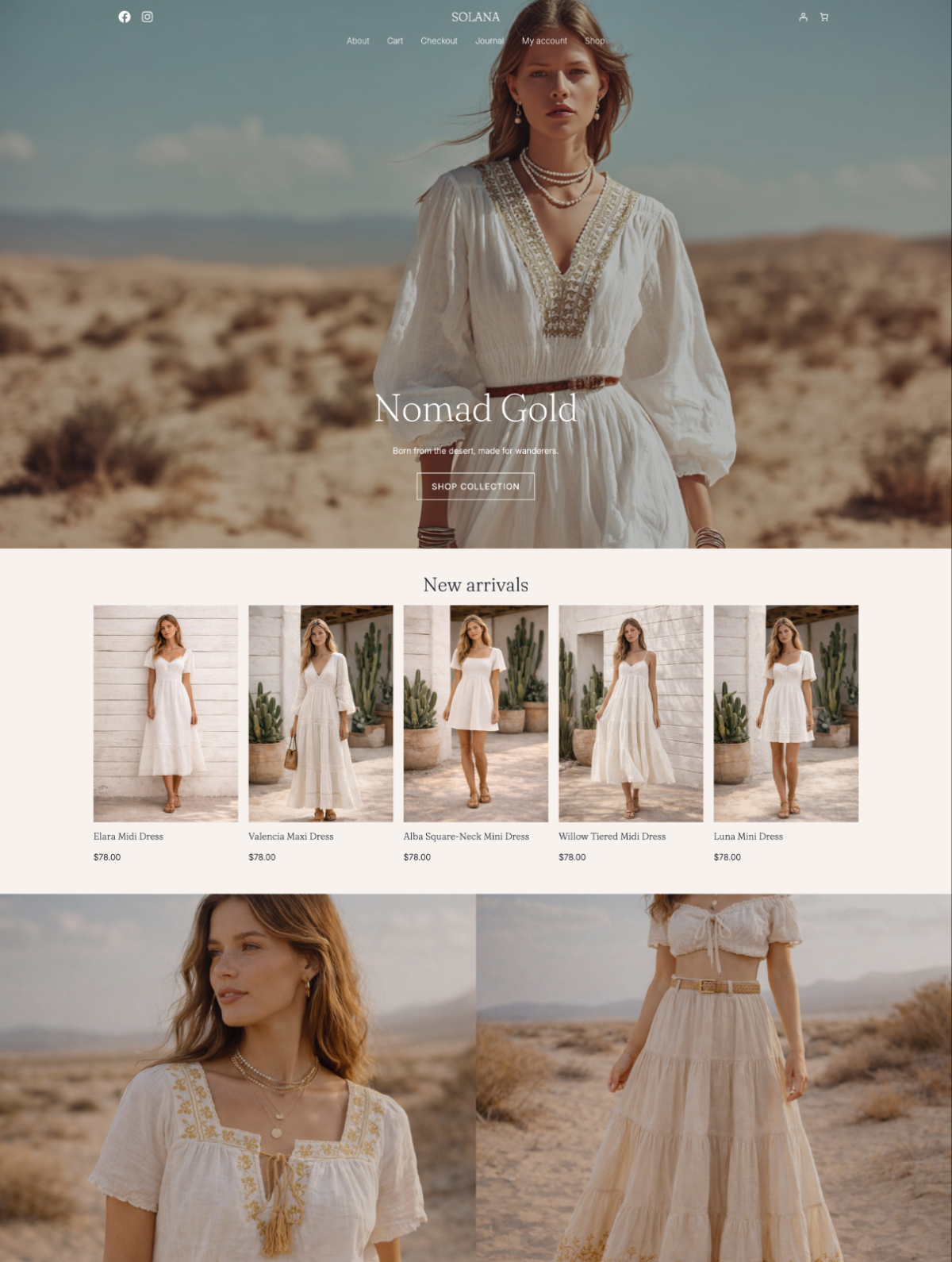
If you want a more defined aesthetic from day one, I also created a couple child themes like Solana or Solmare, that give you curated colors, typography, and a one-click demo so the store looks like yours from the moment you install it.
For a deeper dive check out my post on finding a theme for your clothing boutique.
But let me be clear — a premium theme is not something you need to launch (and you shouldn’t spend too much time looking for a perfect theme). You can start on the free theme and upgrade when you’re ready and your store is making money.
Payment Processing: free to set up
Stripe and PayPal both connect to WooCommerce for free — no monthly fee, no setup cost. You pay a small percentage per transaction (usually around 2.9% plus a fixed fee), and that comes out of each sale automatically. There’s nothing to pay until you start selling.
SSL Certificate: free with most hosts
SSL is what puts the padlock in your browser bar and tells your customers their data is safe. Good hosts include it for free, so confirm it’s included before you sign up with anyone.
Email Marketing: free to start
Mailchimp, MailerLite, and Kit all let you start for free up to a certain number of subscribers. Set up your list from day one and you’ll have an audience to sell to before you ever spend a dollar on ads. Upgrade to a paid plan when you outgrow the free tier — and that’s a good problem to have.
A note on inventory and photography
This post covers the tech costs of launching your store. You’ll need to budget separately for your starting inventory and product photography, both of which vary depending on your business model and how you source your products.
What Does That Actually Add Up To?
| Item | Estimated Cost |
|---|---|
| Domain name | Free year one, then ~$15–$20/year |
| Hosting (first year, one-year plan) | $35–$60 |
| WordPress + WooCommerce | Free |
| Theme | $0–$100+ |
| SSL certificate | Free (included with most hosts) |
| Payment processing | % per sale, no upfront cost |
| Email marketing | Free to start |
| Total, first year | $35–$160+ |
Using free tools, the tech side of your first year comes in at $35–$60 for hosting alone — everything else you can get for free or payment is percentage-based depending on sales.
Where People Overspend Early On
A custom logo is probably the most common one. Your brand will shift once you start selling and see what your customers actually respond to, and a $300 logo in month one often gets redesigned by month six. Use a simple wordmark or a free tool like Canva to get started, and invest in proper branding once you know who you are (check my post on branding your store for extra tips).
Premium plugins are another. WooCommerce has a huge library of plugins (called extensions) and most new stores don’t need paid versions of anything until they’ve well and truly outgrown the free options — which takes longer than you’d expect.
Lastly, paid ads before the store is ready to convert is probably the most expensive mistake of all. Traffic to a store that isn’t working yet is just money out the door. Get the store right and start making real sales first.
What I Wouldn’t Cut Corners On
Hosting is the one place I’d always spend a little more. A host that goes down, loads slowly, or leaves you without support when something breaks will cost you customers and hurt your search rankings. It affects everything, so it’s not the place to find the cheapest option.
And if the free theme options don’t feel right for your brand, a premium theme is worth it. Your store’s design is the first thing a customer sees before she’s looked at a single product, and in fashion, that matters.
FAQ
How much does it cost to start an online clothing boutique?
The tech costs of launching a WooCommerce clothing boutique — hosting, domain, theme, and basic tools — run from around $35 to $160+ for your first year, depending on whether you use free or premium tools. Most of those costs are annual or one-time, so after year one your main ongoing expense is hosting, and domain.
Can I start a clothing boutique with no money?
You can get close to zero using a print-on-demand supplier (so you’re not buying stock upfront), a free theme, and a host offering a free trial. In practice you’ll spend something — hosting alone runs $35–$60 for a first year on a one-year plan — but the tech side of a WooCommerce store is about as low-cost as it gets for a real, functioning online store.
Is WooCommerce free for a clothing store?
Yes. WooCommerce is free to install and use, and it handles everything a clothing store needs — product pages, variations, cart, checkout, and payments — without paying for the plugin itself. Some extensions cost extra, but for a basic launch you don’t need any of them.
What’s the cheapest way to start an online boutique?
Use WordPress with WooCommerce (both free), the Fashion Nook free theme, and a host that includes a free domain and SSL. Your main cost is hosting, which starts at around $35 for a first year on a budget plan. It’s not the most polished launch possible, but it’s a real, working store and you can build from there.
Do I need Shopify or can I use WordPress for a clothing boutique?
WordPress with WooCommerce is one of the most popular setups for independent fashion stores and works well at any size. Shopify is fully hosted with a monthly subscription fee; WooCommerce runs on WordPress and gives you more control with lower ongoing costs. If you’re weighing up both, this post compares them properly.
Where to Go From Here
The budget is the easy part, honestly. The bit that trips most people up is the actual setup — what to install, in what order, and how to make it all work together. If you’re ready to start building, this guide to starting an online clothing boutique with WordPress walks you through the whole thing from the beginning.
And if you’re still on the fence about whether to move from Etsy to your own site, this post on the signs you’re ready is worth a read first.
Once you’re set up, this guide to branding your online boutique covers colours, fonts, and logo — the things that make your store look like yours. And when you get to choosing a theme, start with the Fashion Nook free theme — it’s built for WooCommerce clothing stores and costs nothing to try.